What each screen is telling you.
Your Cube rotates through its screens by itself. Here's what's on each one, number by number. Every screen after Home has the same top line: your location, the screen's name and the time.
The five bands
The Cube scores the conditions and compares the score with what's normal for your area at this time of year. The result is one of five bands, and each has its own colour. Wherever you see one of these colours on any screen, this is what it means.
The Cube doesn't claim to predict whether you'll catch. A band describes the conditions — it isn't a catch probability. Where the fish are, angling pressure, the water itself and your tactics all still matter. The Cube's job is to take a complex, changing set of conditions, put them in context, and make them useful at a glance.
Home
The one to glance at: how conditions are right now, when they're expected to be at their best, and the weather at your location.
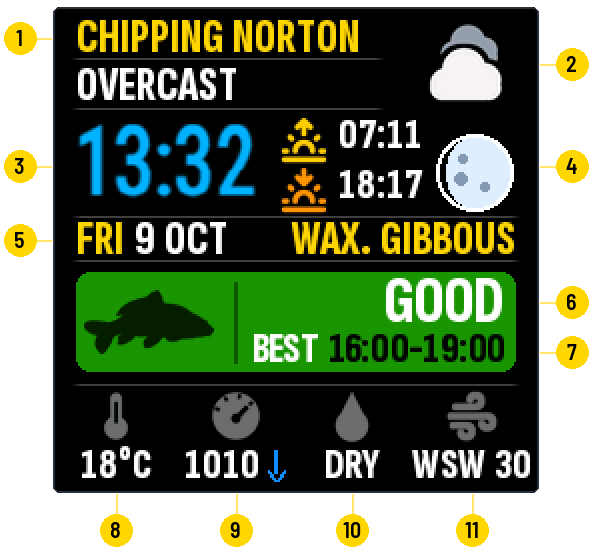
- 1Your fishing locationThe town or village you chose in setup. Everything on the Cube is for this place.
- 2Weather nowThe current weather in words, with its symbol.
- 3TimeSet automatically, including the clock change in spring and autumn.
- 4Sunrise, sunset and the moonToday's sunrise (arrow up) and sunset (arrow down) at your location, and how the moon looks tonight.
- 5Day, date and moon phaseWAX. is waxing (growing towards full), WAN. is waning (shrinking towards new).
- 6The bandHow conditions are right now, compared with what's normal for your area at this time of year. The colour shows which of the five bands it is.
- 7Best windowThe three hours in the next twelve when conditions are expected to be strongest.
- 8Air temperatureIn °C. The Cube doesn't measure water temperature.
- 9Air pressureIn hectopascals (the same as millibars). The arrow shows whether it has risen or fallen over the last six hours; no arrow means steady.
- 10RainDRY, or the rainfall this hour in millimetres.
- 11WindThe direction it's blowing from, and its speed in km/h.
Contributing factors
Why conditions are what they are right now. The Cube weighs seven things and lists the ones making a real difference, strongest first.
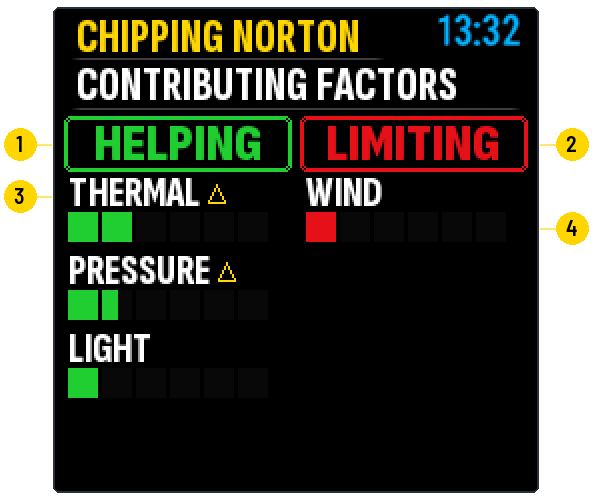
- 1HelpingWhat is working in favour of good conditions right now, in green.
- 2LimitingWhat is holding conditions back right now, in red.
- 3The factorOne of seven: thermal trend, pressure trend, wind, light, rain, time of day and water mixing. On the Cube, the small triangle after THERMAL and PRESSURE stands for “trend”: what counts is how they have been changing, not the reading itself. Water mixing only comes into play in warm weather: wind and rain keep the water stirred and fresh, while a calm, bright spell leaves it still.
- 4How much it mattersMore blocks means a stronger effect. Each bar has six blocks and can fill by halves.
Each side shows up to four factors. Anything with only a small effect is left off, so a side can be empty — the Cube then says there are no significant factors on that side.
Conditions insight
The same story in words, and where it's heading over the next twelve hours.
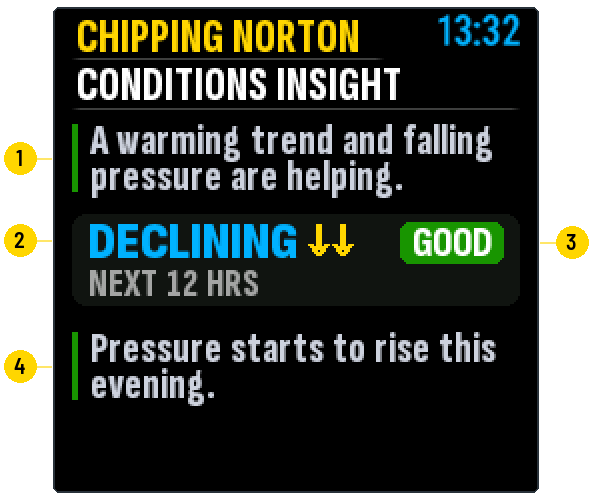
- 1What's happening nowOne sentence on the main things helping or holding conditions back. The bar beside it is the colour of the current band.
- 2Where it's headingIMPROVING, STABLE or DECLINING over the next twelve hours. One arrow is a modest change, two a stronger one.
- 3The band in twelve hoursThe band expected twelve hours from now.
- 4What's driving the changeWhat in the forecast is moving conditions over the next twelve hours. The bar beside it is the colour of the band conditions are heading for.
When the conditions suit spawning, a SPAWNING: POSSIBLE or ELEVATED line appears at the bottom of this screen.
Next 24 hrs
Three snapshots — six, twelve and twenty-four hours from now — with an hour-by-hour strip underneath.
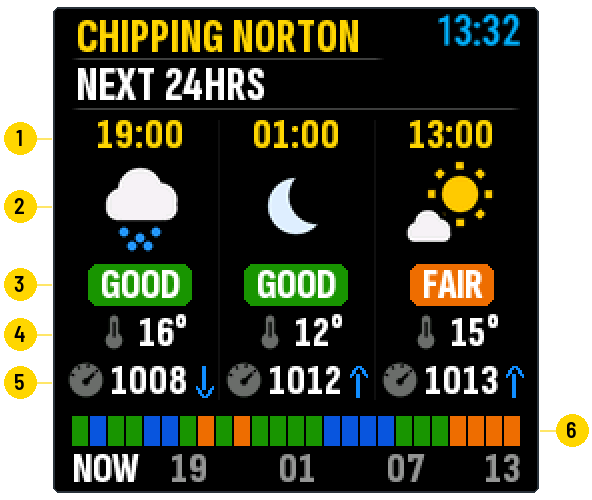
- 1The time of each snapshotSix, twelve and twenty-four hours from now.
- 2The weather thenA moon in place of the sun means that hour is after dark.
- 3The band thenThe band expected at that time.
- 4Air temperatureIn °C.
- 5Air pressureIn hectopascals, with an arrow if it will be rising or falling then.
- 6Hour by hourOne block for each hour from now until this time tomorrow, in the colour of that hour's band. The numbers underneath are clock hours.
Next 3 days
Tomorrow and the two days after, one column each.
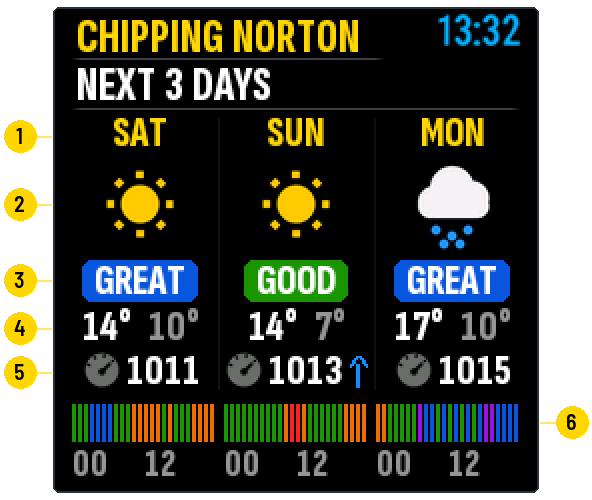
- 1The dayTomorrow first.
- 2The day's weatherThe main weather expected that day.
- 3The day's bestThe band of the best three hours in that day.
- 4High and lowThe day's highest air temperature, and its lowest in grey.
- 5Air pressureThe day's average, with an arrow if pressure rises or falls through the day.
- 6The whole day, hour by hourTwenty-four thin bars per day, each in the colour of that hour's band. 00 marks midnight and 12 midday, so you can see which part of the day looks best.
7-day outlook
The week ahead as a single line: the higher the line, the better the conditions.
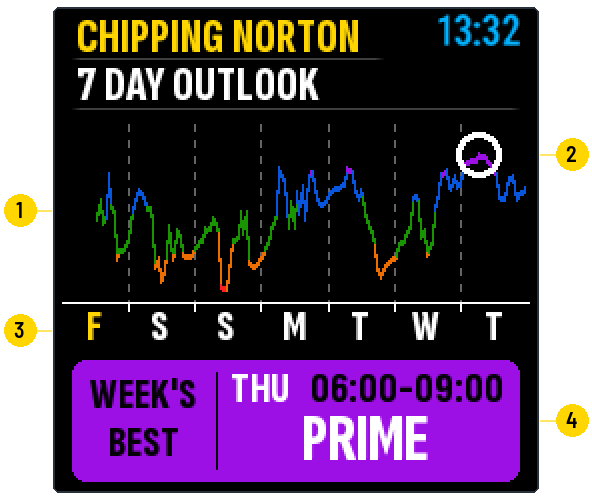
- 1The lineConditions hour by hour, for the rest of today and the next six days. Its colour is the band at each point. The dotted lines mark midnight.
- 2The ringMarks the week's best window on the line.
- 3The daysThe first letter of each day. Today is in yellow, and the part of today that has already passed is left blank.
- 4Week's bestThe best three hours in the week ahead: the day, the time and the band.
Device status
How the Cube itself is doing, and where to find its settings page.
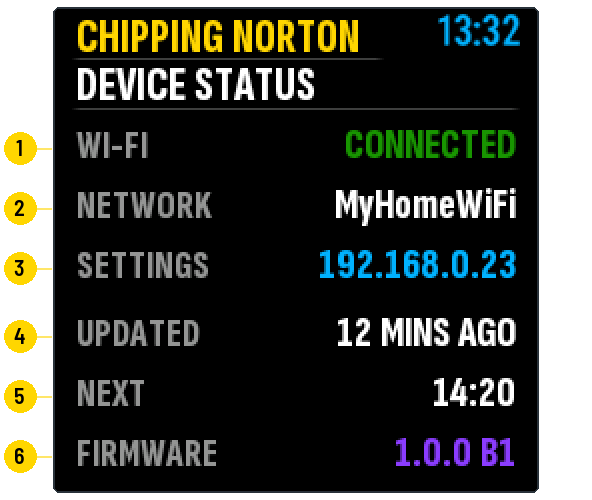
- 1Wi-FiWhether the Cube is connected.
- 2NetworkThe Wi-Fi network it is using.
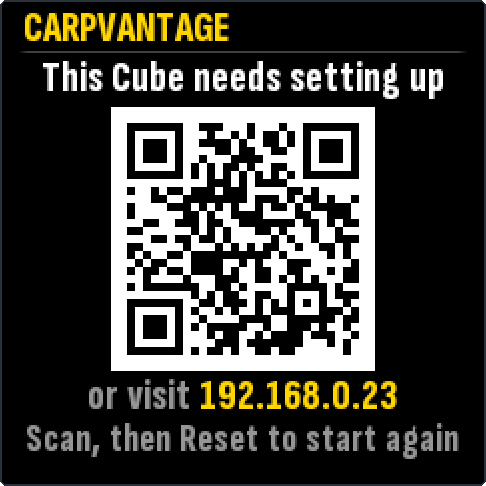
- 3SettingsThe address of your Cube's own page. Type it into a browser on a phone or computer that's on the same Wi-Fi to change brightness, screens, Wi-Fi or location.
- 4UpdatedHow long ago the Cube last fetched new conditions. It turns yellow after an hour and red after two.
- 5NextWhen the next update is due. The Cube updates by itself every hour.
- 6FirmwareThe Cube's software version. It reads UPDATE READY when a new version is waiting to be installed.
Home and Device status are always shown. You can switch the other screens on or off, and set how long each stays up, on the Cube's settings page.
Screens you'll only see occasionally
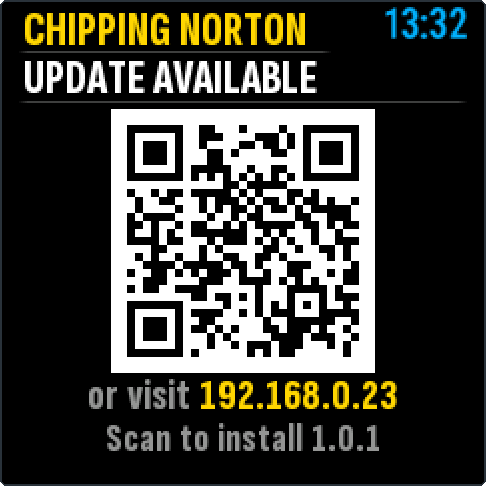
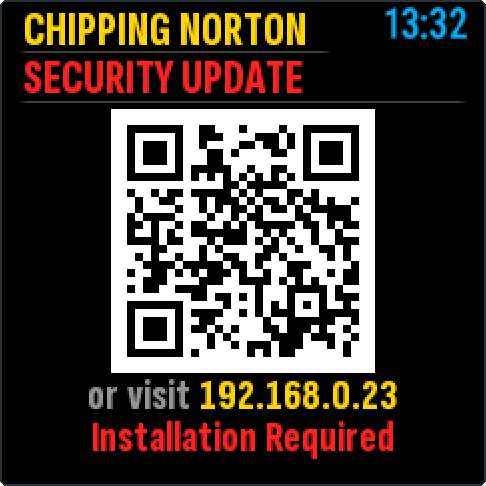
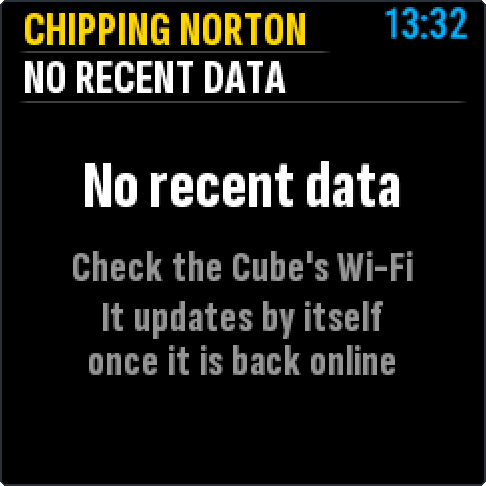
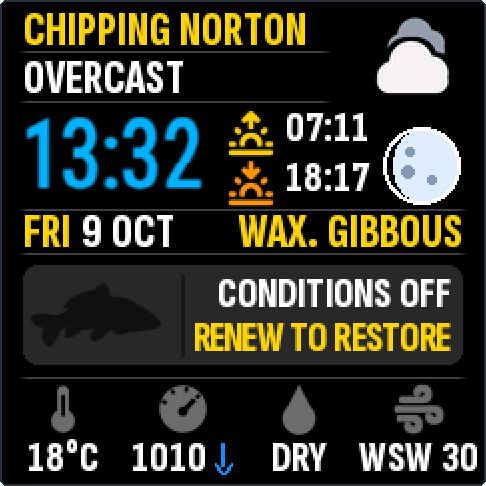
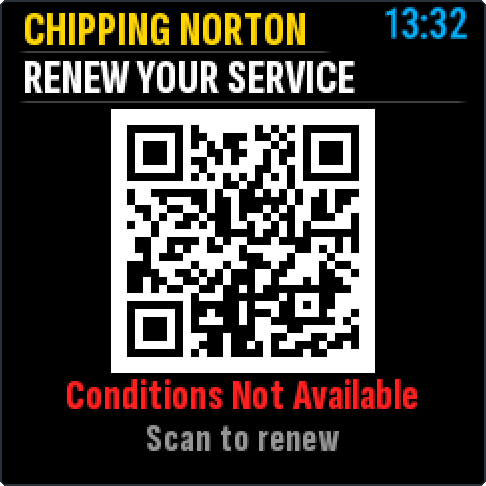
These appear when the Cube has something to tell you.
Got an idea you'd like to share with us?
Something you'd like the Cube to show, something that's hard to read, or anything else — send us a message. We read every one.
Send us a message and tell us what the screen shows.